
Ansible Vault Editor
v1.2.0
Encrypt, decrypt and edit Ansible Vault files and inline !vault values without leaving the editor. Works in VS Code and VSCodium.
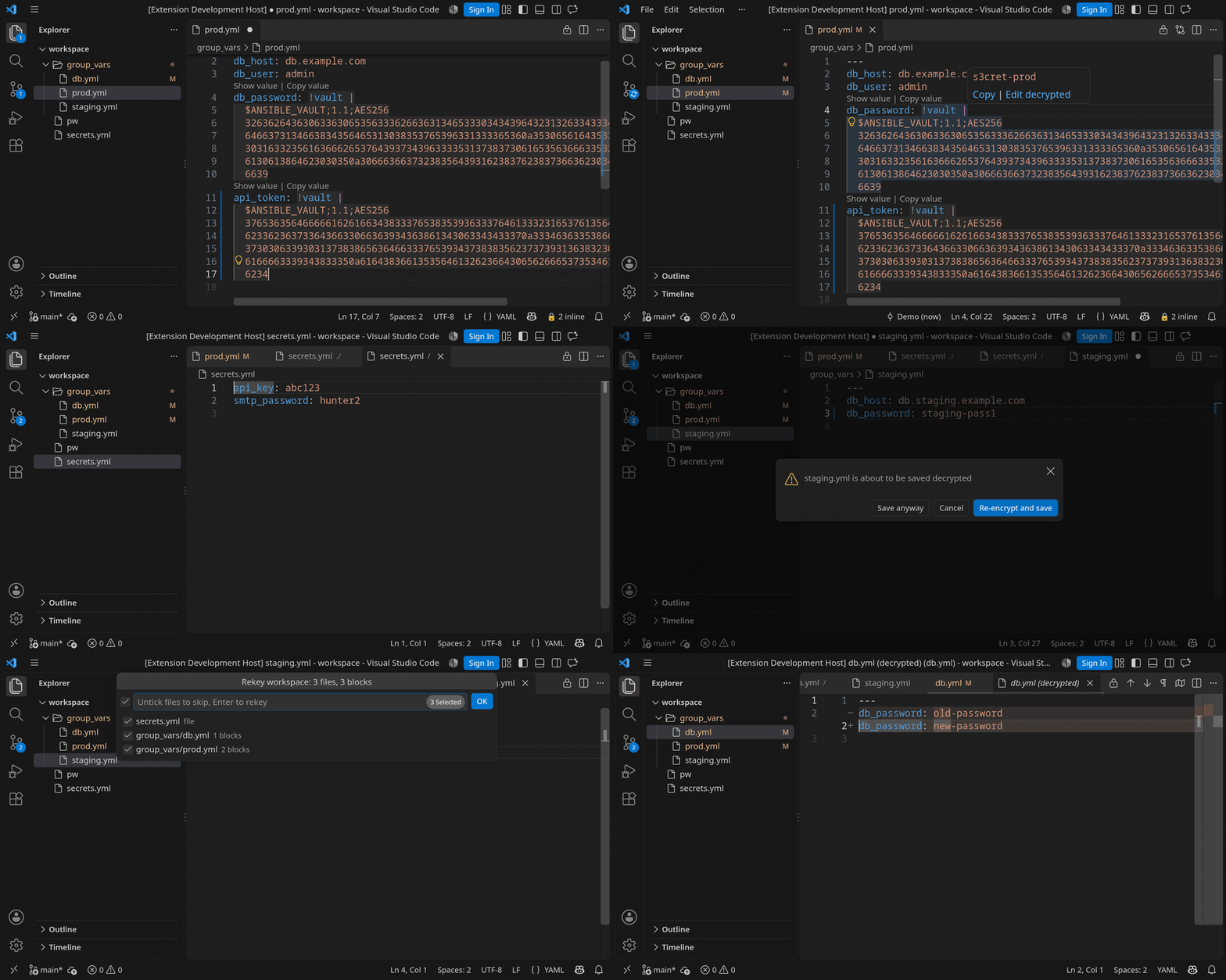
Features
- Files and inline values: encrypt, decrypt or toggle whole files and single YAML
!vaultvalues. - Peek and edit decrypted: hover or CodeLens shows a value; edit it in a tab whose plaintext lives only in memory.
- Save guard and transparent mode: plaintext does not reach disk by accident; optionally decrypt on open and re-encrypt on save.
- Rekey: one file, or the whole workspace with a preview; vault ID support.
- Decrypted diffs: in Source Control and, optionally, in
git diff. - No Ansible needed: a native implementation of the
ansible-vaultformat, byte-compatible with the real tool.
Install
Search for Ansible Vault Editor in the Extensions view, or:
code --install-extension 5mdt.ansible-vault-editor
codium --install-extension 5mdt.ansible-vault-editor
Or download the latest .vsix from GitHub Releases and install it from disk:
code --install-extension ansible-vault-editor.vsixCommands
None has a default key binding; every one can be bound.
| Encrypt Selection or File | ansibleVault.encrypt |
| Decrypt Block or File | ansibleVault.decrypt |
| Toggle Encrypt/Decrypt | ansibleVault.toggle |
| Encrypt File | ansibleVault.encryptFile |
| Decrypt File | ansibleVault.decryptFile |
| Toggle Encrypt/Decrypt File | ansibleVault.toggleFile |
| Encrypt Values in File | ansibleVault.encryptAllInFile |
| Decrypt All Values in File | ansibleVault.decryptAllInFile |
| Peek Decrypted Value | ansibleVault.peek |
| Edit Decrypted | ansibleVault.editDecrypted |
| Rekey | ansibleVault.rekey |
| Rekey Workspace | ansibleVault.rekeyWorkspace |
| Toggle Transparent Marker | ansibleVault.toggleMarker |
| Forget Cached Passwords | ansibleVault.forgetPasswords |
| Open Decrypted Staged Changes | ansibleVault.openDecryptedStagedChanges |
| Open Decrypted Changes | ansibleVault.openDecryptedChanges |
| Enable Decrypted git diff | ansibleVault.enableGitDiff |
| Disable Decrypted git diff | ansibleVault.disableGitDiff |